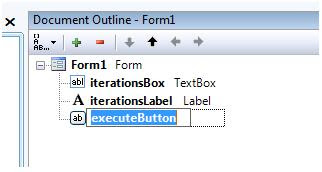
Here is a quick way to rename objects of windows forms:
- Open the windows forms designer.
- Open the Document Outline (View|Other Windows|Document Outline)
- Select the objects using Document Outline and rename them using F2 (edit)
Better than renaming from Properties window?

No comments:
Post a Comment